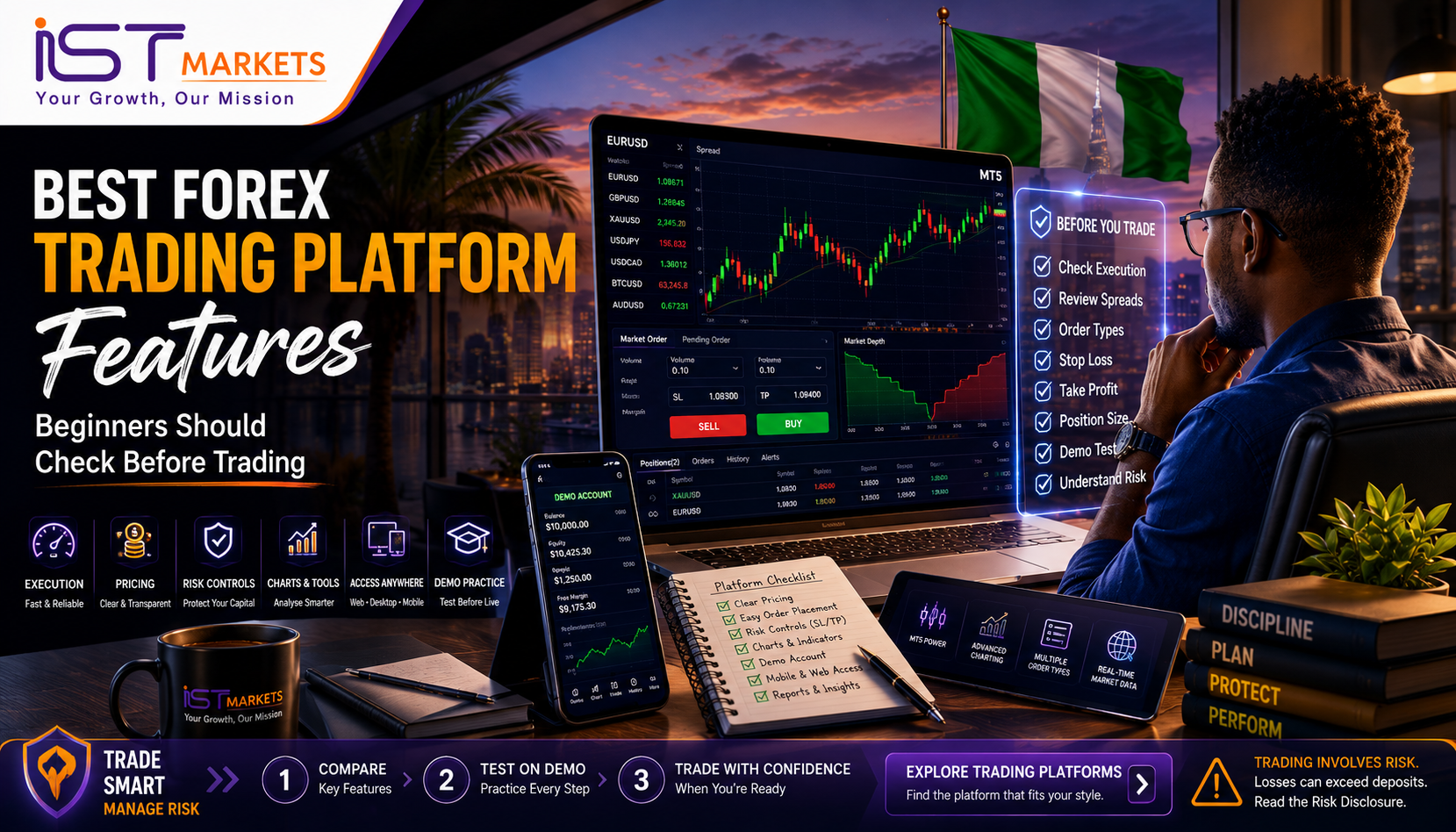
Platform Feature Source Snapshot
| Source | What It Confirms | Why It Matters for Beginners |
|---|---|---|
| MetaTrader 5 Help — Market Watch | Market Watch shows quotes, price data, spread, volume and contract specifications. | Beginners should check instrument details and spread before entry. |
| MetaTrader 5 Help — Trading Operations | MT5 supports orders, deals, positions, Stop Loss and Take Profit workflows. | Order review and risk controls matter more than visual design. |
| MetaTrader 5 Platform / MetaQuotes | MT5 is available across desktop, web and mobile environments. | Access is useful, but beginners should avoid fast, impulsive mobile decisions. |
| IST Markets MT5 / Trading Tools | IST provides MT5 platform access, trading tools and demo pathways. | The article connects platform features to demo-first practice, not hype. |
| IST Markets Risk Disclosure | Risk disclosure covers leverage, margin calls, stop-loss limitations, gaps, outages, OTC and counterparty risk. | Platform choice must be evaluated through risk, not only convenience. |
Content Table
- Quick Answer: What features should beginners check first?
- Beginner-friendly platform features: the short list
- Platform evaluation scorecard for beginners
- Execution, pricing and transparency
- Charts, indicators and watchlists
- Order types and risk controls
- Mobile, desktop and web access
- Demo account and learning support
- Practical scenario: strong charts, weak risk workflow
- Beginner red flags before choosing a platform
- Platform feature checklist
- Risk reminder before the CTA
- Soft CTA: Explore trading platforms, then try demo first
- FAQ
Quick Answer: What features should beginners check first?
Beginners should check forex trading platform features in this order: pricing visibility, execution information, order review, stop loss and take profit controls, watchlists, chart clarity, mobile/web/desktop access, demo practice and account reporting. The best trading platform for beginners is not the one with the most indicators or the loudest “fast execution” claim. It is the platform that helps you see the instrument, cost, order type, position size and risk before you click. A good platform should make careful trading easier and impulsive trading harder.
Trading forex and CFDs involves risk. A platform can support better workflow, but it cannot remove leverage risk, spread changes, slippage, volatility, margin pressure, gaps, technical issues or emotional trading.
Beginner-friendly platform features: the short list
A beginner comparing an online trading platform often starts with the wrong question: “Which platform looks the most advanced?” A better question is: “Which platform helps me make fewer avoidable mistakes?”
A beginner-friendly platform should make the trading process clear. You should be able to find an instrument, read the bid and ask price, open a chart, prepare an order, add stop loss and take profit, review position size, and monitor open exposure without feeling lost.
| Feature Area | What Beginners Should Check | Why It Matters |
|---|---|---|
| Pricing visibility | Bid, ask, spread, commission and swap information | Helps estimate the real cost of opening and holding trades. |
| Execution information | Order process, execution policy, slippage and market-condition notes | Helps avoid assuming every order will fill at the exact displayed price. |
| Order review | Symbol, volume, order type, SL, TP and margin impact before confirmation | Reduces wrong-symbol, wrong-size and rushed-order errors. |
| Watchlist / Market Watch | Clear symbols, quote data, spread and contract information | Helps beginners organise instruments and check costs before trading. |
| Charting | Clean timeframes, candlesticks, indicators and drawing tools | Supports analysis without forcing a crowded screen. |
| Risk controls | Stop loss, take profit, pending orders and account monitoring | Helps define risk before entry. |
| Device access | Desktop, web and mobile workflows | Supports monitoring, but should not encourage impulsive trading. |
| Demo account | Practice environment for order workflow | Helps beginners learn the platform before live capital is involved. |
| History and reports | Orders, deals, positions and account history | Turns trading practice into measurable review. |
A strong beginner platform does not hide risk behind design. It makes risk visible.
Platform evaluation scorecard for beginners
To avoid choosing a platform based on screenshots, use a weighted evaluation. This does not prove which platform is “best” for every trader. It helps beginners compare the features that matter before trying demo or opening a live account.
| Evaluation Area | Suggested Weight | Beginner Question | Good Sign |
|---|---|---|---|
| Execution and pricing clarity | 25% | Can I see costs and understand how orders are handled? | Spread, commissions, swaps, execution notes and order status are easy to find. |
| Risk-control workflow | 25% | Can I define risk before confirming a trade? | Stop loss, take profit, volume, order type and margin impact are clear in the workflow. |
| Charts and watchlists | 15% | Can I analyse without confusion? | Watchlist, chart, timeframe and instrument details are clean and readable. |
| Demo realism and learning support | 15% | Can I practise the same steps I would use live? | Demo order flow, charting and risk controls feel close to the real workflow. |
| Cross-device access | 10% | Can I use desktop, web or mobile without losing control? | Each device supports a clear review process, not only fast clicking. |
| Reporting and review | 10% | Can I learn from my activity? | History, order logs and account statements are easy to review. |
A beginner does not need the most complex platform on day one. They need a platform that makes the trade lifecycle understandable: watch, analyse, prepare, review, place, monitor, close and learn.
Execution, pricing and transparency
Execution and pricing are the platform features beginners often ignore until something goes wrong. A beautiful chart does not help much if you do not understand how price is shown, how spreads affect entry, or why an order may execute at a different price during volatility.
A platform evaluation should start with the basics:
- What price am I seeing?
- What is the bid and ask?
- What is the spread right now?
- Is there commission on this instrument or account type?
- Are swaps or financing costs relevant if the trade is held overnight?
- Can price change between order submission and execution?
- What happens during fast markets, low liquidity or market gaps?
This is why transparent execution and pricing information matter. Beginners should not evaluate a forex trading platform only by screenshots. They should review the provider’s execution policy, risk disclosure, fee pages and product conditions.
| Pricing / Execution Item | Beginner Question | Better Decision Habit |
|---|---|---|
| Spread | Is the spread visible before entry? | Check spread before every order, not after the trade opens. |
| Commission | Is the account commission-based or spread-only? | Estimate total cost, not just one headline number. |
| Slippage | Can price differ from the expected price? | Understand that fast markets and low liquidity can affect execution. |
| Gapping | Can markets jump between prices? | Be cautious around market opens, weekends and major news. |
| Order rejection | Can orders fail because of margin, liquidity or technical conditions? | Check trade size, margin and session conditions before entry. |
| Stop-loss limitations | Can stop loss fail to execute at the exact selected level? | Treat stop loss as a risk tool, not a guarantee of a perfect exit. |
| Policy documents | Are execution and risk documents easy to find? | Avoid live trading before reading the main disclosures. |
Execution is not just a button click. It is the process of sending an instruction into a live market environment.
Charts, indicators and watchlists
Charts are important, but they are not the whole platform. Beginners can become distracted by indicators, colour themes and complicated templates. A platform with too many visual tools can make decision-making harder if the trader has no process.
Good charts should help you answer simple questions:
- What instrument am I viewing?
- What timeframe is this chart using?
- Is price trending, ranging or reacting around a level?
- Is the current candle unusually large?
- Is there a major event coming that could distort the chart?
MT5 is useful here because it gives beginners structured access to charts, timeframes, watchlists and order tools. The important point is not that every beginner should use every feature immediately. The point is that platform depth should be learned in layers.
| Chart Feature | Useful for Beginners? | How to Use It Properly |
|---|---|---|
| Multiple timeframes | Yes | Use higher timeframes for context and lower timeframes only when you understand why. |
| Candlestick charts | Yes | Read price structure before adding too many indicators. |
| Drawing tools | Yes | Mark simple support, resistance and trend areas. |
| Indicators | Sometimes | Add only tools you can explain. More indicators do not equal better decisions. |
| Templates | Helpful later | Build a clean template after you know what information matters. |
| Watchlist groups | Yes | Keep a focused list instead of jumping between too many instruments. |
| Contract specifications | Essential | Check contract size, spread, swap and trading conditions before live trading. |
A clean watchlist and a clean chart are often more valuable than a crowded screen full of signals.
Order types and risk controls
This is the most important section for beginners. A forex trading platform should not only help you find trades. It should help you control how trades are prepared.
Before placing an order, the platform should make these details clear:
- instrument;
- order type;
- direction;
- volume or lot size;
- stop loss;
- take profit;
- estimated margin impact;
- spread and cost;
- account exposure after the order opens.
| Risk-Control Feature | What It Does | Why Beginners Should Care |
|---|---|---|
| Market orders | Enter at the current available market price | Useful, but can be affected by spread and slippage. |
| Pending orders | Enter only if price reaches a selected level | Helps avoid chasing, but can still execute in volatile conditions. |
| Stop loss | Defines an intended loss-limiting exit level | Helps plan risk, but may not always execute at the exact level. |
| Take profit | Defines an intended profit-taking exit level | Helps plan exits, but does not prove a strategy is profitable. |
| Order modification | Adjusts open orders or positions | Useful only when changes follow a plan, not panic. |
| Account monitoring | Shows equity, margin, open exposure and history | Helps prevent over-leverage and forgotten positions. |
| One Click Trading | Sends orders quickly | Convenient for experienced users, but dangerous for beginners who have not learned order review. |
The platform should encourage a “review before confirm” habit. For beginners, speed is less important than clarity.
Mobile, desktop and web access
Modern traders often want an online trading platform that works across desktop, web and mobile. This can be useful, but beginners should understand the different role of each device.
Desktop access is usually better for careful analysis because the screen is larger and the workflow feels less rushed. Web access can be useful when installation is not possible. Mobile access is valuable for monitoring and basic management, but it can also increase impulsive trading if the trader reacts to every notification.
| Access Type | Best Use | Beginner Risk |
|---|---|---|
| Desktop platform | Analysis, chart layout, order review and journaling | Can feel complex if too many tools are open at once. |
| Web platform | Access without installation | Requires stable internet and careful login/security habits. |
| Mobile app | Monitoring, alerts and urgent management | Small screens and quick taps can lead to rushed decisions. |
| Multi-device workflow | Flexible monitoring and continuity | Beginners may overcheck charts and overtrade. |
A good platform is accessible, but access should not become pressure. Being able to trade anywhere does not mean you should trade everywhere.
Demo account and learning support
A demo account is one of the most useful platform features for beginners, but only if used seriously. Demo should not be treated as a game. It should be used to practise the exact workflow you would need before live trading.
A proper demo test should include:
- creating a small watchlist;
- opening charts and changing timeframes;
- checking bid, ask and spread;
- placing a market order;
- placing a pending order;
- setting stop loss and take profit;
- modifying an order;
- closing a position;
- reviewing history;
- writing down what happened.
| Demo Test | What It Reveals | Why It Adds Value |
|---|---|---|
| Watchlist setup | Whether symbols and quotes are easy to organise | Helps avoid confusion before live trading. |
| Order ticket test | Whether the order workflow is clear | Shows whether risk controls are visible before entry. |
| Stop loss / take profit test | Whether exits are easy to set and modify | Builds risk-planning habits. |
| Spread observation | Whether costs change during different sessions | Helps beginners understand live-like market conditions. |
| Mobile vs desktop test | Whether behaviour changes across devices | Shows whether mobile encourages rushed decisions. |
| History review | Whether mistakes can be studied | Turns practice into learning, not random clicking. |
Demo performance does not prove future live results. Real money changes psychology, and live execution conditions can differ. But demo can reveal whether the platform workflow is clear enough before capital is at risk.
Practical scenario: strong charts, weak risk workflow
Imagine a beginner compares two platforms. One has attractive charts, bright indicators and a modern app. The beginner likes the design and opens a demo account. After a few minutes, they can draw trend lines and change timeframes easily.
But when they try to place a trade, the risk workflow is unclear. The order window does not make volume easy to understand. Stop loss and take profit are not obvious before confirmation. The spread is not visible in the same decision area. The trader can click quickly, but cannot review calmly.
That is not beginner-friendly.
A better platform does not simply look advanced. It makes the trader pause and check:
- Am I on the correct symbol?
- What is my position size?
- What is the spread?
- Where is my stop loss?
- Where is my take profit?
- What happens to margin after this order?
- Am I using demo because I am learning, or am I pretending demo success means live readiness?
The lesson is simple: chart quality matters, but risk-control workflow matters more.
Beginner red flags before choosing a platform
A platform may look impressive and still be a poor fit for a beginner. Watch for these red flags before committing live funds.
| Red Flag | Why It Matters | Better Action |
|---|---|---|
| Flashy interface but unclear order review | Beginners may click before understanding risk | Practise the full order workflow on demo first. |
| Spread and costs are hard to find | Total trading cost may be misunderstood | Check pricing pages and live quotes before trading. |
| Stop loss and take profit are hidden or confusing | Risk may be added too late or forgotten | Use platforms where exits are obvious before entry. |
| One-click trading is prominent by default | Speed can increase mistakes | Disable or avoid it until order review is automatic. |
| Demo feels like a game | Practice may not build real discipline | Use demo with realistic position sizing and journaling. |
| No visible risk documents | Important limitations may be missed | Read risk disclosure and execution information first. |
| Mobile app pushes constant action | Overchecking can lead to overtrading | Use alerts and routines instead of reacting to every move. |
| Claims focus only on “fast execution” | Market conditions can still affect fills | Look for balanced wording about slippage, volatility and gaps. |
If a platform makes it easy to trade but hard to understand risk, it is not beginner-friendly.
Platform feature checklist
Use this checklist before choosing a platform, trying demo or opening a live account.
| Platform Feature Check | Yes / No |
|---|---|
| I can see bid, ask and spread before placing an order. | |
| I understand whether the account uses spread-only pricing, commission, or both. | |
| I can find swap or financing information for overnight positions. | |
| I can open Market Watch or a watchlist and understand the symbol I am viewing. | |
| I can open a clean chart and identify the timeframe. | |
| I know where to set stop loss and take profit before confirming the order. | |
| I understand the difference between market and pending orders. | |
| I can review volume or lot size before entry. | |
| I can see account equity, margin and open exposure. | |
| I can use demo to practise the same workflow I would use live. | |
| I can find execution, fee and risk documents. | |
| I know that stop loss may not always execute at the exact selected level. | |
| I have tested desktop, web or mobile access without rushing decisions. | |
| I have a trading journal or review process. |
A beginner who cannot answer most of these questions should continue practising before using live funds.
Risk reminder before the CTA
Choosing a strong platform can reduce confusion, but it cannot remove trading risk. Forex and CFD trading can involve leverage, margin calls, spread widening, slippage, swaps, gaps, platform interruptions, liquidity changes and emotional decisions.
Stop loss and take profit tools are useful, but they do not guarantee a perfect exit in every market condition. Demo accounts are useful for practice, but they do not prove that the same results will happen on live accounts.
Before trading live, review the risk disclosure, understand the execution conditions, practise the order workflow on demo, and only trade with capital you can afford to lose.
Soft CTA: Explore trading platforms, then try demo first
If you are comparing forex trading platform features, start with the features that protect decision quality: pricing visibility, execution information, order review, risk controls, demo practice and account monitoring.
With IST Markets, beginners can explore trading platforms and practise on a demo account before deciding whether a live account is appropriate. Use the platform to build a clear routine: watchlist, chart, order review, risk controls, journal and review.
Explore trading platforms, then try demo first.
FAQ
Sources & Further Reading
- MetaTrader 5 Help — Market Watch
- MetaTrader 5 Help — Trading Operations and Orders
- MetaTrader 5 — Desktop, Web and Mobile Platform
- MetaQuotes — MetaTrader 5 Multi-Asset Platform
- IST Markets — MT5 Trading Platform
- IST Markets — Trading Tools
- IST Markets — Demo Trading Account
- IST Markets — Order Execution Policy
- IST Markets — Risk Disclosure